
Mission Statement
The Information Security Office is committed to lowering the risk profile of the University’s electronic information by implementing industry best practices to protect the confidentiality, integrity, and availability of student, faculty, and staff information. We uphold the University’s compliance obligations by developing information security policies, providing security awareness training, and overseeing the implementation of strategic information security initiatives.
Scam of the Week
Booked for a Breach
After weeks of job applications with no reply, you receive a request for a 30-minute call with a Meta recruiter. The link opens a scheduling calendar app that prompts you to choose an interview time. It then asks you to enter your name, email address, and phone number, and then to complete a CAPTCHA puzzle to prove you’re human. Finally, it asks you to log in to your Facebook account.
But this interview invite is actually a phishing scam! The invitation comes from an unfamiliar recruiting domain, not Meta, and the scheduling calendar app is not affiliated with the organization. The Facebook login page is a malicious fake that will send anything you enter to cybercriminals. If you enter your Facebook password, cybercriminals will try it on the real Facebook site right away. If Facebook asks for a two-factor authentication code, the fake page will ask you for the same code, allowing cybercriminals to use it before it expires. And to really convince you, the screen will say that you will receive a confirmation email within the next 90 minutes; just enough time for them to log in to your account and take it over.
Follow these tips to avoid falling victim to this scam:
- Check the web address before clicking on a link or entering any personal data. If the web address is unfamiliar, that is a big red flag.
- Do not approve a sign-in attempt or share a two-factor authentication code unless you started the login yourself via the official website.
- Verify the recruiter and role on the organization’s official careers site.
Time It Takes a Hacker to Brute Force Your Password in 2026
Hardware: 16 x RTX 5090 | Password Hash: bcrypt(10)
| Number of Characters | Numbers Only | Lowercase Letters | Upper and Lower Case Letters | Numbers, Upper and Lowercase Letters | Numbers, Upper and Lowercase Letters, Symbols |
|---|---|---|---|---|---|
| 4 | Instantly | Instantly | Instantly | Instantly | Instantly |
| 5 | Instantly | Instantly | 46 minutes | 2 hours | 3 hours |
| 6 | Instantly | 37 minutes | 2 days | 5 Days | 1 week |
| 7 | Instantly | 16 hours | 3 months | 10 Months | 2 years |
| 8 | Instantly | 2 weeks | 12 years | 50 years | 132 years |
| 9 | 2 hours | 1 year | 636 years | 3k years | 9k years |
| 10 | 20 hours | 32 years | 33k years | 191k years | 645k years |
| 11 | 1 week | 839 years | 1m years | 11m years | 45m years |
| 12 | 3 months | 21k years | 89m years | 737m years | 3bn years |
| 13 | 2 years | 567k years | 4bn years | 45bn years | 221bn years |
| 14 | 23 years | 14m years | 241bn years | 2tn years | 15tn years |
| 15 | 229 years | 383m years | 12tn years | 175tn years | 1qd years |
| 16 | 2k years | 9bn years | 653tn years | 10qd years | 75qd years |
| 17 | 22k years | 259bn years | 33qd years | 675qd years | 5qn years |
| 18 | 228k years | 6tn years | 1qn years | 41qn years | 372qn years |
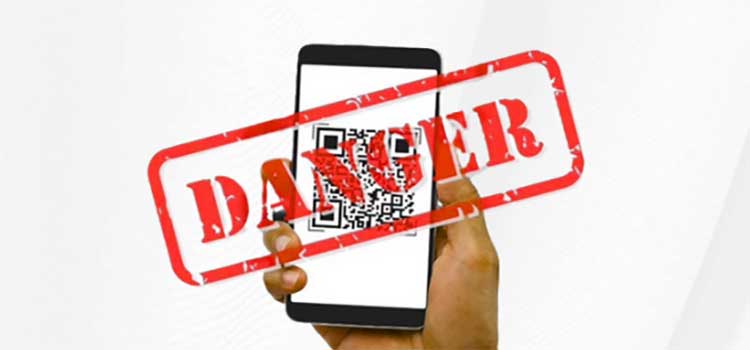 QR Code Phishing - 'Quishing'
 Phishing Click Rates Triple in 2024
 The Most Dangerous Pop Culture Passwords in 2024